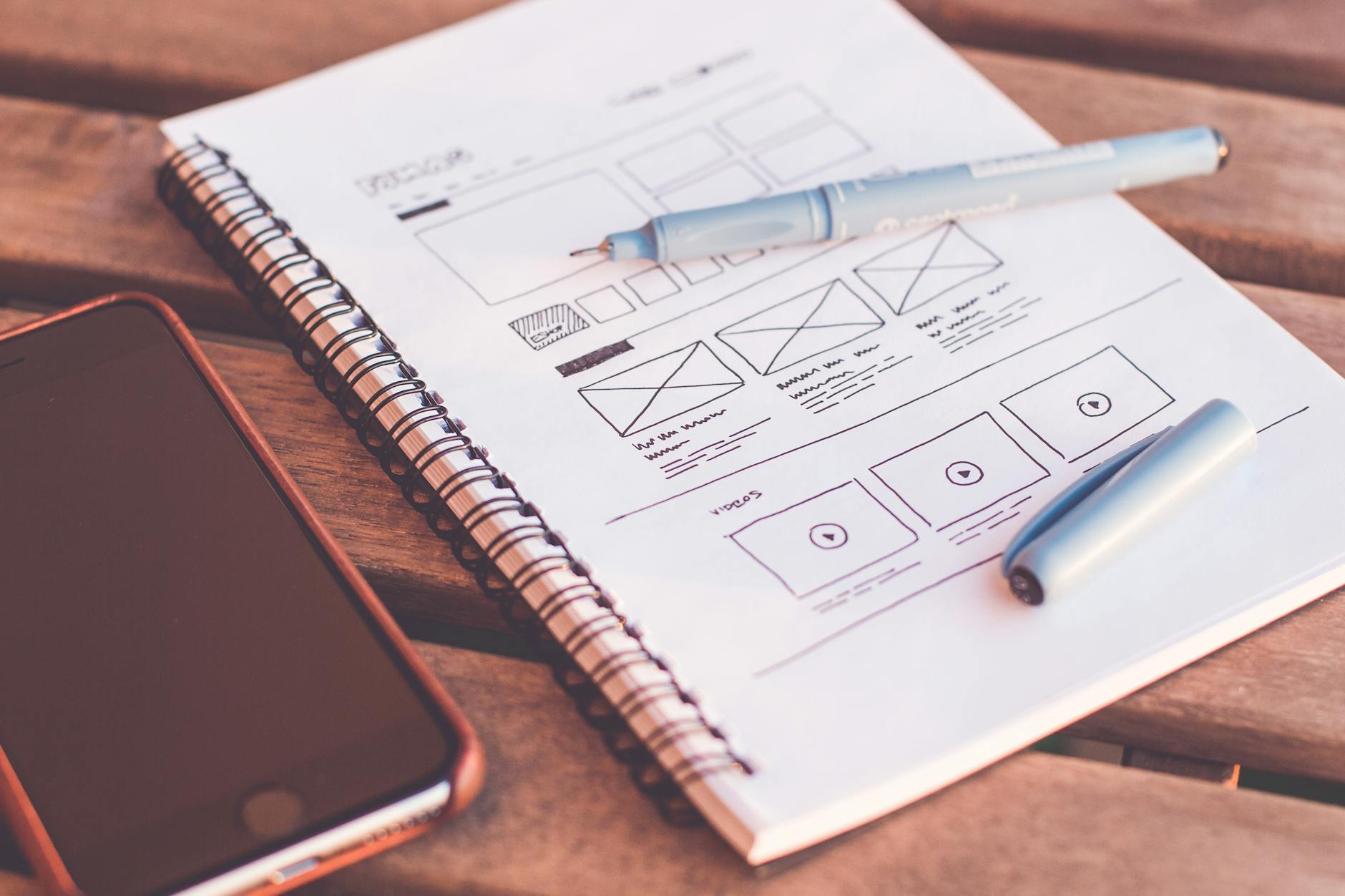
UX and UI are often mentioned together, but they solve different design problems. UX, or user experience, is the complete journey a person has with a product, service, or system. It includes what users need, what they are trying to do, where they get stuck, and whether the product helps them reach a useful outcome. UI, or user interface, is the layer people interact with directly: screens, controls, labels, forms, icons, colors, spacing, feedback messages, and interaction states.
The difference matters because a product can look polished and still be difficult to use. A product can also solve a real problem but feel unreliable if the interface is crowded, inconsistent, or inaccessible. Good product design needs both: UX to make sure the journey supports the right task, and UI to make every step understandable enough for people to act with confidence.
Quick Summary
- UX answers whether the experience works. It focuses on users, goals, flow, information, friction, accessibility, and outcomes.
- UI answers whether the interface is clear. It focuses on layout, visual hierarchy, controls, content presentation, feedback, and interaction details.
- UX and UI affect each other. A confusing label, hidden error message, or inaccessible button is a UI issue that damages the overall UX.
- Start with the user task, then design the interface. Structure comes before polish, but polish still matters when it helps people understand and trust the product.
UX vs UI at a Glance
| Area | UX Design | UI Design |
|---|---|---|
| Main focus | The full journey from user need to outcome | The interface people see, touch, read, or hear |
| Core question | Can users solve the right problem with as little unnecessary friction as possible? | Can users understand the screen, controls, labels, and feedback at each step? |
| Typical work | User research, journey maps, task flows, information architecture, wireframes, prototypes, and usability findings | Layouts, components, typography, icons, color systems, interaction states, and high-fidelity prototypes |
| Business value | Supports task completion, satisfaction, retention, and product-market fit | Supports clarity, trust, brand consistency, accessibility, and interaction quality |
Why UX and UI Are Easy to Confuse
UX and UI overlap in everyday product work. A button label is a UI detail, but it also affects UX if users do not understand what will happen after they select it. A checkout form is a UI pattern, but the number of fields, the order of steps, the timing of shipping information, and the clarity of error messages all shape the overall experience.
A useful way to separate the disciplines is to ask two questions. UX asks, “Does this experience help the user accomplish the right goal?” UI asks, “Does this interface make the next action clear, readable, and usable?” Strong products answer both questions at the same time.
For example, imagine a customer booking an appointment. UX decisions include how many steps the booking flow needs, which information must appear before the user chooses a time, and what happens after the booking is confirmed. UI decisions include the calendar layout, button text, selected-state styling, error messages, loading indicators, and confirmation screen. If either side is weak, the booking experience suffers.
What Is UX?
UX stands for user experience. It covers how a person perceives and responds to a product, system, or service before, during, and after using it. UX includes usefulness, usability, accessibility, performance, trust, support, and whether the product helps the user reach a meaningful outcome.
UX design does not mean controlling a user’s feelings directly. It means designing the conditions that make a good experience more likely: clear information, logical steps, helpful feedback, inclusive access, and a product that solves a real problem.
In practical product work, UX design asks questions such as:
- Who is the user, and what problem are they trying to solve?
- What does the user need to know before taking action?
- Where do users hesitate, make mistakes, or abandon the process?
- Can people use the product across different devices, abilities, and contexts?
- Does the experience support the business goal without creating unnecessary pressure or confusion?
UX is broader than screen design. On an e-commerce site, UX includes product discovery, search filters, product information, cart behavior, checkout steps, confirmation emails, returns, and customer support. A beautiful checkout screen helps, but the experience still fails if shipping costs appear too late, form errors are vague, or mobile payment is difficult to complete.
What Is UI?
UI stands for user interface. It is the set of interface elements that allow people to interact with a digital product. UI includes layout, typography, color, spacing, icons, buttons, forms, menus, navigation, feedback messages, and interaction states such as hover, focus, loading, disabled, success, and error states.
Good UI design makes actions visible and understandable. It helps users know where they are, what they can do next, and what happened after they took an action. In a professional interface, visual design is not decoration alone. It communicates priority, status, hierarchy, and affordance. In plain terms, affordance means the interface gives people clues about how something can be used, such as a button looking pressable or a selected tab looking active.
Important UI design considerations include:
- Layout: Arrange content so important information is easy to scan.
- Typography: Use readable font sizes, line length, weight, and spacing.
- Color and contrast: Support brand expression while keeping text and controls legible.
- Components: Make buttons, forms, menus, cards, and alerts consistent across the product.
- Interaction feedback: Show clear responses for loading, success, errors, disabled actions, and keyboard focus.
- Responsive behavior: Keep the interface usable across desktop, tablet, and mobile screens.
The Key Difference Between UX and UI
The simplest distinction is this: UX defines whether the product experience works for the user; UI defines how the interface communicates and enables that experience.
UX is strategic and holistic. It looks at user needs, product structure, task flow, information architecture, accessibility, and outcomes. UI is focused on the interface layer. It turns that structure into clear screens, controls, visual hierarchy, and interaction details.
| Decision | Mostly UX | Mostly UI |
|---|---|---|
| Checkout design | How many steps are needed, what information appears first, and where users may abandon the flow | Field layout, button styling, error text placement, progress indicators, and focus states |
| Navigation | Which categories match user intent and how users move between tasks | Menu appearance, spacing, active states, icons, and mobile navigation behavior |
| Onboarding | What users need to learn first and which steps can be skipped or delayed | Instruction text, screens, tooltips, buttons, empty states, and visual progress cues |
These decisions should not be isolated in real projects. A form layout is a UI decision, but if it reduces mistakes and helps people complete a task faster, it improves UX. A journey map is a UX tool, but it only becomes useful when the interface makes that journey visible and manageable.
How UX and UI Work Together
Consider a booking app. UX work defines the main journey: choose a service, select a date, compare options, enter details, pay, and receive confirmation. UI work makes each step clear: readable labels, accessible calendar controls, visible prices, useful error messages, and a confirmation screen that explains what happens next.
A practical workflow often looks like this:
- Understand the user task. Clarify who the product serves, what users are trying to do, and where the current experience creates friction.
- Map the structure. Organize content, screens, and steps so users can move from intention to outcome without unnecessary decisions.
- Design the interface. Create layouts, components, labels, and interaction states that make the structure usable.
- Test and refine. Use observation, analytics, accessibility checks, and feedback to find what still confuses users.
If the UX is weak, users may not understand the process even when the screens look attractive. If the UI is weak, users may understand the goal but struggle with the controls. The best result comes from combining user research, clear information architecture, consistent visual design, and continuous usability testing.
Why UX and UI Matter for Business
UX and UI influence business results because they shape whether users trust the product, complete important actions, and come back. Better design can support conversion, retention, customer satisfaction, and operational efficiency.
1. Trust and brand perception
Consistent UI helps a product feel professional and reliable. Strong UX supports that trust by making the product behave as users expect. When users can understand pricing, navigation, forms, and next steps, they are more likely to feel confident.
2. Conversion and task completion
Sign-ups, purchases, inquiries, downloads, and reservations depend on more than visual appeal. Users need clear information, low-friction forms, visible calls to action, and helpful error handling. UX identifies the friction; UI makes the solution understandable.
3. Fewer support requests
When a product explains itself through clear structure, labels, feedback, and help content, users need less support. This can reduce operational load while improving satisfaction.
4. Better retention
People return to products that help them complete tasks with confidence. A good experience is not only easy to use once; it remains predictable, accessible, and useful over time.
Accessibility Is Part of Good UX and UI
Accessibility should not be treated as a final checklist after design is complete. It is part of both UX and UI quality. The W3C Web Accessibility Initiative encourages teams to use the latest version of WCAG. Its WCAG 2 overview identifies WCAG 2.2 as a W3C Recommendation and explains that WCAG 2.2 adds success criteria while preserving backward compatibility with earlier WCAG 2 versions.
For UX, accessibility means designing flows that work for people with different abilities, devices, environments, and assistive technologies. For UI, it means visible focus states, sufficient contrast, readable text, descriptive labels, keyboard support, meaningful error messages, and controls that are large enough to operate.
A practical accessibility review for UX/UI should include:
- Can the main tasks be completed with a keyboard?
- Are form labels, help text, and error messages clear?
- Is the focus indicator visible and not hidden by sticky headers or overlays?
- Do buttons and links have meaningful text?
- Is color supported by text or icons so meaning is not color-only?
- Are touch targets large enough for mobile use?
- Are headings structured in a logical order?
- Can users complete important steps without relying on dragging, memory, or repeated data entry when alternatives are reasonable?
Common UX/UI Mistakes
- Starting with visuals before understanding users: Attractive screens cannot fix a product that solves the wrong problem.
- Using vague button labels: Labels like “Submit” or “Click here” often create uncertainty. Use action-specific language when the outcome matters.
- Ignoring error states: Helpful errors are part of the experience, not an edge case.
- Relying only on color: Users with low vision, color blindness, or different display settings may miss the meaning.
- Skipping mobile and keyboard testing: Responsive layout and keyboard accessibility are essential for real-world use.
- Separating UX and UI too late: Collaboration should start early so structure, content, visuals, and interactions support the same goal.
Which Should You Prioritize First?
If you are planning a new product or redesign, start with UX questions first: users, goals, tasks, content, structure, and success metrics. Once the flow and information architecture are clear, UI design can turn that structure into a usable and brand-consistent interface.
If you already have a live website or app, review both. Analytics may reveal drop-off points, but usability testing and direct observation can explain why users struggle. UI audits can then address visible issues such as inconsistent components, poor contrast, crowded layouts, unclear labels, and missing focus states.
For a lightweight review, ask these questions before changing the interface:
- What task does the user need to complete?
- What information must appear before the user can decide?
- Which parts of the page create hesitation or mistakes?
- Are the primary actions easy to find and understand?
- Can the task be completed on mobile and with a keyboard?
FAQ: UX vs UI
Is UI part of UX?
UI is an important part of the overall user experience, but UX is broader. UX includes the full journey and the value users receive, while UI focuses on the interface elements that users interact with.
Can a product have good UI but bad UX?
Yes. A product can look attractive but still be difficult to use if the flow is confusing, information is missing, performance is poor, or users cannot complete their task.
Can a product have good UX but weak UI?
Yes, but weak UI can limit the value of good UX. If the interface is hard to read, inconsistent, or inaccessible, users may struggle even when the underlying journey is well planned.
Do small businesses need UX and UI design?
Yes. Even a small website or app benefits from clear navigation, readable content, accessible forms, and calls to action that match user intent. Good UX/UI does not always require a large team, but it does require careful attention to users and outcomes.
Should UX and UI be handled by the same person?
It depends on the project size and team. In smaller projects, one designer may cover both areas. In larger products, UX and UI may be separate roles. What matters most is that research, structure, content, visual design, accessibility, and testing inform one another instead of moving in separate tracks.
Conclusion
UX and UI are different but closely connected. UX focuses on the complete experience and whether the product helps users achieve their goals. UI focuses on the interface layer that makes that experience visible, understandable, and usable. When both are designed together, digital products become clearer, more accessible, and more effective for users and businesses.
At greeden, we help businesses plan, design, and improve digital products that support real user needs. If you are considering a new website, app, or system redesign, please contact us through our contact page.
Further Reading
- Nielsen Norman Group: The Definition of User Experience
- Interaction Design Foundation: What Is User Experience Design?
- W3C WAI: WCAG 2 Overview
- W3C WAI: What Is New in WCAG 2.2